
Clean the screen. Before it airs.
Pro Cleaner holds your live programme in a delay buffer and gives the transmission operator the seconds needed to take out profanity, offensive language, and unwanted pictures—while the studio keeps rolling.
Intervene before the viewer sees or hears it.
A delay does more than buy reaction time. It lets an intervention reach back into programme already held in the buffer, so the operator covers the incident—not only the seconds after the button press.
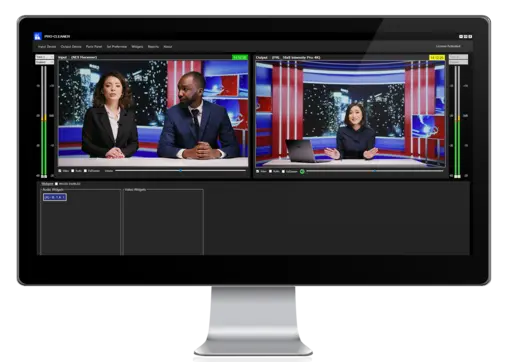
Configurable delay
Hold the programme in a buffer sized for the operational risk and show the operator what is live versus what is leaving air.
Independent audio actions
Mute programme audio or substitute a 1 kHz reference tone over the configured interval.
Independent video actions
Blur, remove colour, or freeze the held picture while the studio source continues.
Flexible triggers
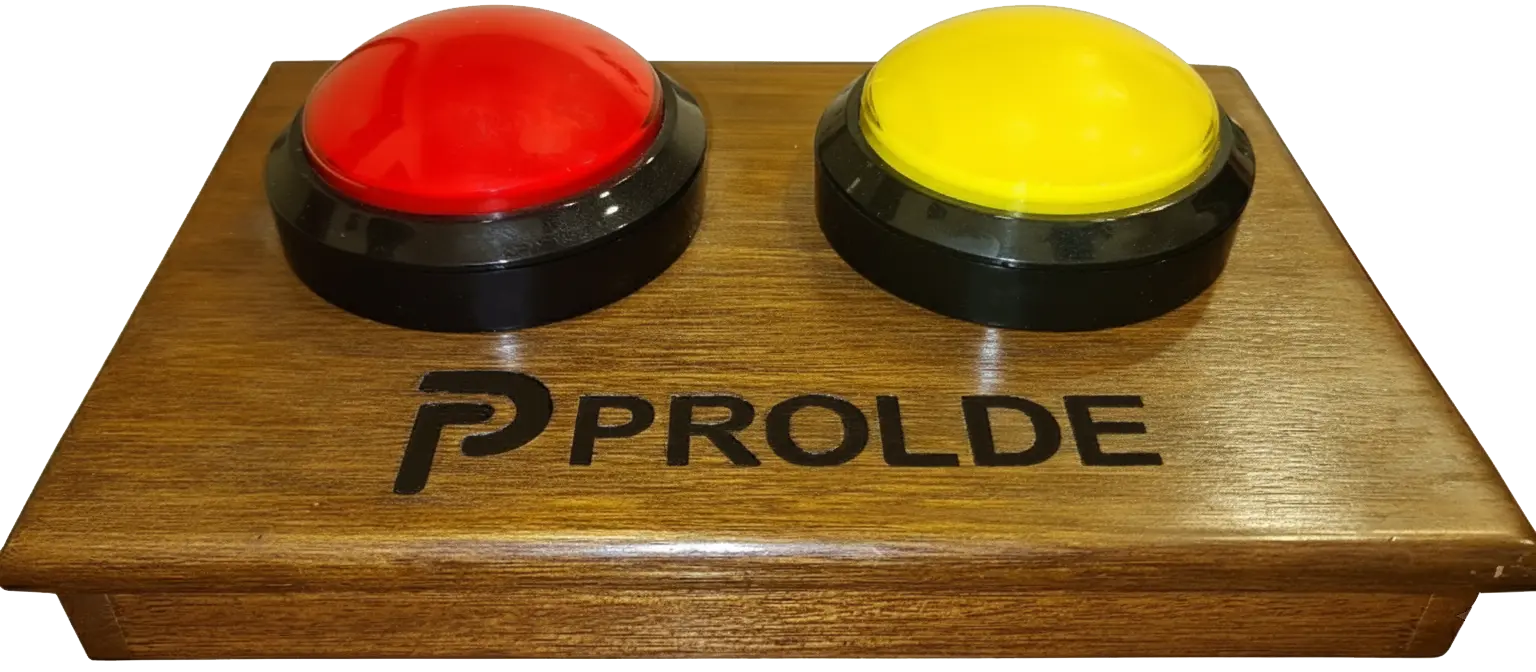
Use keyboard assignments, on-screen widgets, or a dedicated two-button panic panel.
Professional signal path
Work with qualified SDI, HDMI, NDI, and supported IP input and output workflows.
Compliance record
Write each intervention to a dated trigger log and export operational records to CSV.
Four stages, one signal path.
Ingest
Take a qualified baseband, NDI, or supported IP source while the operator preview stays live.
Delay
Hold the programme in a configurable buffer and show exactly what is leaving the system.
Intervene
Mute, tone, blur, desaturate, or freeze the held programme with timed triggers.
Transmit
Send the cleaned programme to an approved output and record every intervention.
Act before the incident reaches air.
Press Audio Panic or Video Panic and watch the intervention reach back into the held buffer. This simulator demonstrates the operator concept; it does not process real media.
Press a panic button. The seconds it covers are already in the buffer — the pre-roll reaches back before your press, so the incident is covered rather than your reaction time.
Built to sit in a transmission chain.
The full datasheet and technical manual provide commissioning detail. Final availability depends on the current license, runtime, drivers, hardware, and qualified workflow.
| Baseband input | Supported professional SDI and HDMI I/O from Blackmagic Design, AJA, Streamlabs, Bluefish, and other qualified manufacturers. |
|---|---|
| IP input | RTMP, HLS, SRT, further supported URL schemes, and desktop screen capture. |
| Baseband output | Supported professional output I/O from Blackmagic Design, AJA, Streamlabs, Bluefish, and other qualified manufacturers, plus approved virtual and IP senders. |
| Output standards | Supports SD, HD, and output standards up to 4K, including qualified 720p, 1080i/p, UHD/4K, and follow-input workflows. |
| Conversion | Qualified up, down, and cross conversion with configurable aspect-ratio handling. |
| Delay | Up to 5000 seconds output delay against a buffer of up to 100,000 seconds. |
| Audio actions | Mute or 1 kHz reference tone at 48 kHz / 16-bit stereo. |
| Video actions | Blur, grayscale, and freeze. |
| Trigger timing | Pre-roll and post-roll from 1 to 600 seconds; automatic or manual operation. |
| Platform | Microsoft Windows with .NET Framework 4.8 and a DirectX 11 graphics adapter. |
Anywhere a live microphone is open.
See it on your own feed.
Tell us the source you ingest, the standard you transmit, the required delay, and the operator control surface. We can help qualify the complete path for a demonstration.
Request a demonstration